


Gap
4.81.18K Reviews
App Specs
- Version
- 18.5.0
- Updated On
- License
- Free
- Downloads
- 1,000,000+
- Developer
- Gap Official
- Categories
- Shopping
- Platform
- Android, iOS
Screenshots
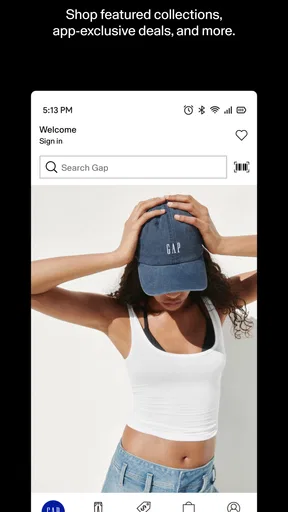
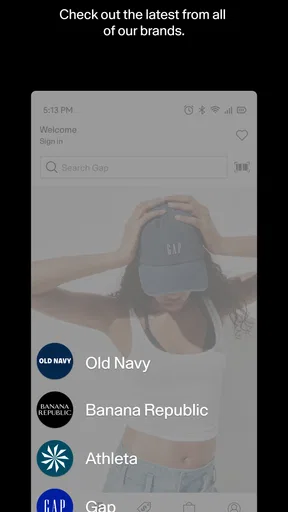
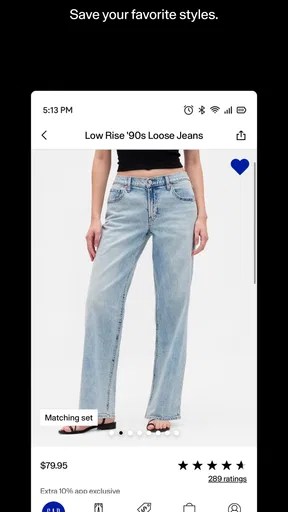
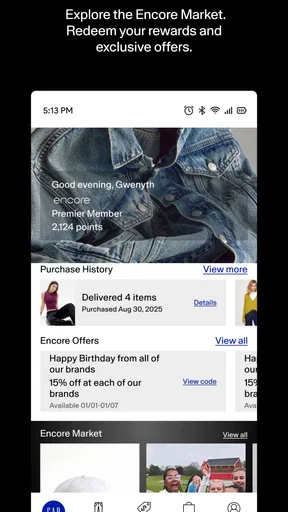
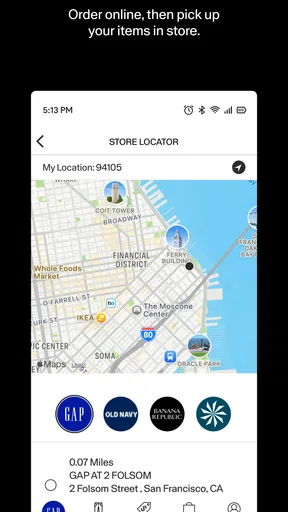
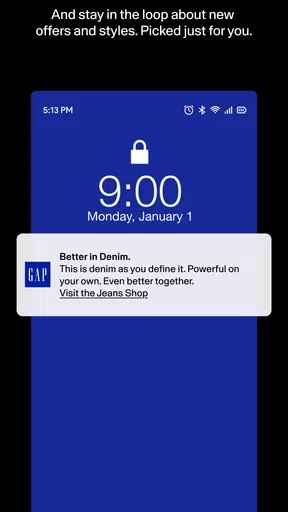
 Analysis by AppCompare
I approached Gap as a shopping app rather than simply another place to browse clothing. The useful question is not whether it can show Gap products—that is the easy part—but whether it makes the path from finding something to confidently buying it feel manageable on a phone. In my experience, the answer depends heavily on how prepared you are before browsing and how patiently you handle the moments where shopping apps can become confusing.
Developed by Gap Official, this free app is aimed at people who already like the brand’s clothing or want a more direct way to explore its current styles. It is available for everyone, and its presence on mobile makes sense for ordinary situations: checking a size while away from home, saving an idea for later, or looking through seasonal clothing without visiting a store. I found it most useful when I treated it as a focused Gap catalogue and purchasing tool, not as a broad marketplace with many unrelated brands.
Where the shopping experience can become difficult
The first source of friction is usually not browsing. Product discovery is familiar: you move through clothing categories, open an item, inspect its available choices, and decide whether it deserves more attention. The harder part is keeping track of those choices. A shirt or pair of jeans can look right in a general listing, yet the exact color and size you want may require a closer check on the product page.
I recommend opening the full item details before getting attached to a product. Look at the available variants, read the description, and check the images from more than one angle when they are available. This sounds obvious, but it prevents a common mobile-shopping mistake: adding an item because the main picture looks appealing, then discovering later that the preferred option is not selectable.
Another point where users can get stuck is account and checkout flow. When a shopping app asks you to move between browsing, a bag, delivery information, and payment, a small interruption can make it unclear whether an action succeeded. If a page appears to pause, I avoid tapping the purchase control repeatedly. Instead, I check whether the bag changed, whether the item is still there, and whether the next screen has loaded. Repeated taps can create more uncertainty than they solve.
The safest habit is to verify the bag after every important change. Confirm the product, variant, quantity, and displayed total before continuing. This is especially worthwhile when you have been browsing for a while and the bag contains several items. It also gives you a clear recovery point if the app closes or the connection becomes unreliable.
Search can create a different kind of difficulty. A very specific phrase may not produce the result you expect, while a broader term can return a more useful selection. I usually begin with a simple clothing name, then narrow the results by opening individual products rather than trying to predict the exact wording used in the catalogue. This approach is less frustrating than assuming that a missing search result means the product itself is unavailable.
Worth Reading Before You Choose

EA SPORTS FC Mobile 26 Is a Bigger Football Game, but It Takes Time

Flipboard Shows What News Apps Must Do Beyond the Feed

Switching to Android Auto Means Rethinking Your Driving Routine

Google Calendar Makes a Crowded Week Easier to Manage

Ludo King Makes the Most of the Minutes Between Plans

Baby Panda World Brings Quick Play to Modern Phones, but Its Game Library Feels Busy
What to check before blaming the app
Shopping problems are often caused by the environment around the app. A weak connection can make images load slowly, leave a product page incomplete, or delay a bag update. If only one screen seems affected, I give it a moment and try moving back to a previous page before restarting everything. If several parts of the app behave strangely, I first check whether my connection is stable by switching between the available network options on my device.
It is also worth checking the device itself. Gap lists a minimum operating system of 11, so an older phone or an outdated system can be a more likely explanation for installation or stability trouble than the app’s shopping content. Keeping the operating system current, when the device supports it, is a sensible first step. I would also make sure there is enough free storage for normal app operation, particularly if other apps are already reporting storage pressure.
After installation, I look for the current app version in the device’s app-management area. The listed current version is 18.5.0. If the installed version is older, updating is a reasonable troubleshooting step before trying more disruptive actions. I do not recommend deleting the app immediately, because that can remove local state and force you to reconstruct a browsing session.
A calmer setup routine
My preferred setup is deliberately simple. I install the app on a supported device, open it while using a reliable connection, and let the first screens finish loading before starting a serious search. Then I browse a few products, open one or two detail pages, and check whether the bag responds normally. This small test tells me more than rushing straight toward a large order.
If you intend to shop while travelling or during a busy day, do this initial check at home. A stable first session gives you a better chance of noticing whether a problem is specific to a product page, your connection, or the device. It also means you are not trying to solve setup friction while standing in a changing room or waiting for transport.
I would not create a complicated workflow around the app until I know how it behaves on my phone. Start with one product and a short browsing session. If that works, continue. If it does not, close the app normally, reopen it, and repeat the same small test. This makes troubleshooting easier because you are changing one factor at a time.
For shoppers who prefer not to sign in immediately, the practical choice is to browse first and decide later whether an account-based flow is worth the convenience. The right approach depends on how often you shop and whether you want a more continuous session. Someone making a single quick purchase may prefer the shortest available route, while a regular Gap shopper may value having a more organized way to return to items.
Recovering a disrupted shopping workflow
When the app stops responding during browsing, I begin with the least destructive fix: wait briefly, return to the previous screen if possible, and reopen the product or bag. If the app has clearly frozen, I close it and launch it again. I then check the bag before repeating any action. This sequence matters because the visible screen may not reflect the latest successful update.
If a product seems to have disappeared, I search for it again rather than assuming it was removed. Open the item, select the desired options again, and inspect the bag afterward. This is slower than tapping repeatedly, but it gives you a cleaner record of what is actually present. For a larger shopping session, I would handle one product at a time and confirm each addition before moving on.
A useful recovery method is to write down the details of an item before restarting: its name, color, size, and any other choice that matters to you. That may sound old-fashioned, but it prevents a disrupted session from turning into a guessing game. It is particularly helpful when you are comparing several similar pieces or when the product images look alike.
If checkout does not advance, I would avoid assuming that the order was placed. First inspect the bag and the last visible step. If there is no clear confirmation, do not immediately submit the same purchase again. Recheck the information you entered, reopen the relevant screen, and try once more only when you understand where the first attempt stopped. This cautious approach is better than creating duplicate uncertainty.
There is also a practical difference between a browsing problem and a transaction problem. A slow image is inconvenient, but a payment or confirmation issue deserves more care. For the latter, I would preserve any visible confirmation details, avoid repeated submissions, and use the app’s available support route if the situation remains unclear. The important point is to distinguish “the page did not refresh” from “the purchase definitely failed.”
Making product decisions without rushing
The app works best when you use product pages as decision checkpoints. I open the item, inspect the choices, and then leave it alone for a moment before adding it. This helps avoid filling the bag with near-duplicates. It also makes it easier to compare a basic staple with a more seasonal style without losing track of why each item was selected.
One non-obvious advantage of a brand-specific app is focus. Compared with a general shopping marketplace, Gap keeps the browsing context centered on one retailer. That can reduce the noise of unrelated sellers and inconsistent presentation. The trade-off is that you do not get the same breadth of brands or the same cross-store comparison in one place. If your priority is finding the cheapest equivalent garment anywhere, a marketplace or price-comparison tool may be better.
On the other hand, people who already know they want Gap clothing may find the focused catalogue more efficient than opening a general retailer app and filtering through many brands. I would use Gap for brand-led browsing, outfit ideas within that brand, and checking a specific Gap item. I would use a broader alternative when I am undecided about the brand, comparing materials across retailers, or trying to locate a very particular price point.
When the app is not the cause
Not every disappointing result is a technical failure. A product may be difficult to find because the search wording is too narrow, a choice may not appear because it is unavailable, and a total may change as the bag reflects the current contents. These are shopping conditions rather than proof that the app is malfunctioning. The best response is to inspect the product and bag carefully before reinstalling anything.
Device performance can also affect the experience. If the phone is running many demanding apps, has very little free storage, or has an unstable connection, a shopping app may appear unreliable even though the underlying issue is broader. I test Gap after closing unnecessary apps and moving to a stronger connection. If other apps are also slow, I troubleshoot the phone or network first.
Operating-system compatibility is another boundary. Because the minimum requirement is 11, a device below that level is not a good candidate for this app. In that situation, changing networks or repeatedly reinstalling will not solve the basic compatibility problem. A supported phone is the more realistic answer.
I also think expectations matter. This is a shopping app from Gap Official, not a personal stylist, a universal wardrobe planner, or a multi-brand bargain engine. If you want recommendations across many labels, independent reviews of fabric quality, or the ability to compare every retailer at once, a different kind of service will suit you better. The focused nature that helps Gap shoppers can feel limiting to someone still deciding what to buy.
Who will get the most from it?
I would recommend it to existing Gap customers, people who prefer shopping from a brand’s own mobile experience, and anyone who wants to browse Gap styles without opening a desktop site. It is also useful for a practical everyday scenario: you are at home planning a small clothing refresh, remember a Gap item you saw earlier, and want to check the current product details from your phone before deciding.
It can be a good fit for a parent or partner shopping with a specific person in mind, provided the shopper checks the exact size and color before adding anything. It is similarly useful for someone who wants to browse in short sessions rather than complete everything at once. The key is to treat the bag as a checkpoint and keep the session organized.
I would suggest skipping it if your main goal is comparing several brands, finding the lowest price across the internet, or building a wardrobe from retailers with very different styles. The app’s value comes from direct access to Gap’s own shopping environment. That is a strength for a loyal customer and a limitation for an open-ended bargain hunter.
My practical verdict
Gap is a focused, free shopping app that makes the most sense when you already want Gap clothing or want to explore that brand from a phone. Its strong store reception—an average rating of 4.8 from around 26 thousand ratings—suggests that many shoppers find the experience worthwhile, and its reach extends to over one million installs. Those figures do not replace personal testing, but they do indicate that this is an established shopping option rather than an obscure experiment.
The app’s current version, 18.5.0, should be considered alongside the minimum operating-system requirement of 11 when deciding whether an older device is suitable. I would start with a clean installation, a reliable connection, and a small browsing test. Then I would verify each product choice in the bag instead of assuming that every tap completed successfully.
My honest view is that Gap is better for deliberate, brand-specific shopping than for spontaneous comparison across the whole clothing market. It rewards a careful workflow: search broadly, inspect the complete product page, confirm the exact variant, and pause before repeating an action when a screen seems slow. If that matches how you shop, I think it is worth keeping on your phone.
If you want a single place to compare many labels, this is not the right tool. If you want a straightforward way to explore Gap styles and manage a purchase from a supported mobile device, it is a sensible choice. Use it as a focused Gap store in your pocket, and its limitations become easier to work around.
Pros
- Simple interface makes everyday use quick and easy.
- Core features are accessible without a steep learning curve.
- Useful for users seeking a focused
- uncomplicated experience.
- Runs smoothly on most modern Android and iOS devices.
- Regular updates can improve stability and overall usability.
Cons
- Some advanced features may require a paid subscription.
- The app may offer limited customization for experienced users.
- Performance can vary on older or lower-end devices.
- Certain functions may depend on a stable internet connection.
- Privacy details and data permissions should be reviewed before use.
FAQs for Gap
What is Gap, and what can I use it for?
Gap is an app designed to help users connect, discover content, or manage activities within its platform, depending on the version and available features. Before downloading, review the app’s current store description because functions may vary by region and updates. After installation, explore the main menu, account settings, notifications, and privacy options to understand how the app fits your needs.
Is Gap free to download and use?
Gap may be available as a free download, but some features can require in-app purchases, subscriptions, or account upgrades. The exact pricing and available plans may differ between Android and iOS and can change over time. Check the relevant app store listing before installing, and review renewal terms carefully if you activate a subscription or provide payment information.
Does Gap require an account or personal information?
Depending on the features you want to use, Gap may ask you to create an account and provide information such as an email address, username, profile details, or other optional data. Some permissions may also be requested for notifications, storage, camera, or location-related functions. Read the privacy policy and permission prompts carefully, and only provide information you are comfortable sharing.
Can I use Gap without an internet connection?
Gap’s offline capabilities depend on the specific tools included in the app. Basic menus or previously loaded information may remain accessible without a connection, while account synchronization, online content, messaging, downloads, or cloud-based functions generally require Wi-Fi or mobile data. If reliable offline access is important to you, test the app after installation and check whether content can be saved locally.
Is Gap safe and compatible with my device?
Gap should be downloaded from an official source, such as Google Play or the Apple App Store, to reduce the risk of modified or unsafe files. Before installing, check the listed Android or iOS requirements, recent update history, developer information, and user reviews. Keep your operating system updated, use a strong account password, and review privacy settings to improve your overall security while using the app.


